New features
Turning new AI detections into tools underwriters can act on

Betterview (now Nearmap) · 2021–2024
As Betterview’s AI team expanded what the product could detect, I designed the features that put those detections in underwriters’ hands. Here are the highlights, and the handoff process that got them built.
AI · Property Intelligence Suite
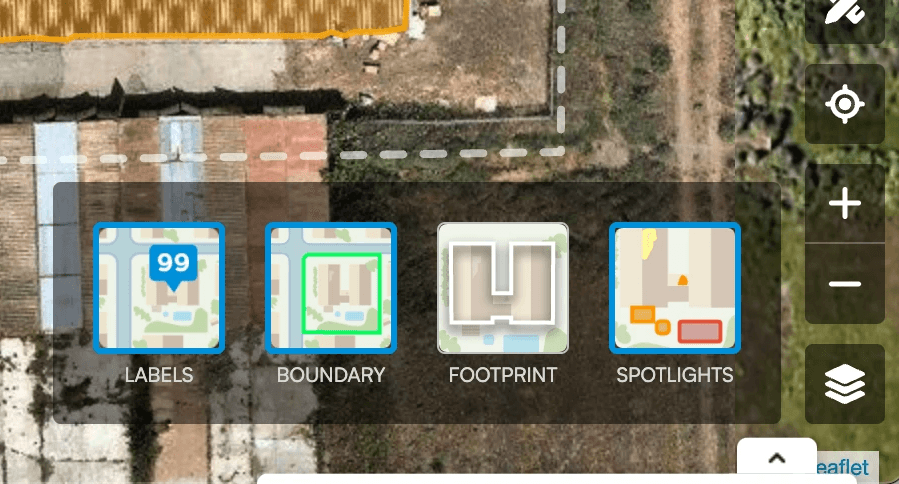


As Betterview’s AI team expanded the product’s detection capabilities, I designed the UX for an expanding suite of features: the Measurements tool (evolved from lessons learned in the drawing tool), a Map layer interface, the Exposure panel surfacing wind, hail, hurricane, wildfire, tree fall, flood, and crime risk from multiple data providers, responsive navigation specifications for engineering handoff, and detections for trees, wildfire path modeling, yard debris classification, and pool identification. Each feature required translating a new data model into an interface that insurance professionals could act on quickly and confidently.


AI · Spotlight Editor & Drawing Tool
The original drawing tool didn’t follow standard pen tool conventions — users had to activate an edit mode before they could draw, rather than clicking the tool icon and working immediately. I redesigned the Spotlight Editor from the ground up: the tool activates on click, undo is available throughout, and users can categorize each detection (staining, rust, missing shingles, debris, and more) to help train our AI model for more accurate future scoring.
Guardrails were essential. The tool includes inline error banners and modal validation that prevent impossible categorizations — for example, flagging rust on an asphalt shingle roof before it reaches the ML pipeline. A confirmation panel lists all spotlights marked for deletion and added for rescore before the user commits. Nothing reaches the machine learning team without being reviewed and validated first.
Session replays from Heap confirmed the new interaction model was working before we fully shipped.


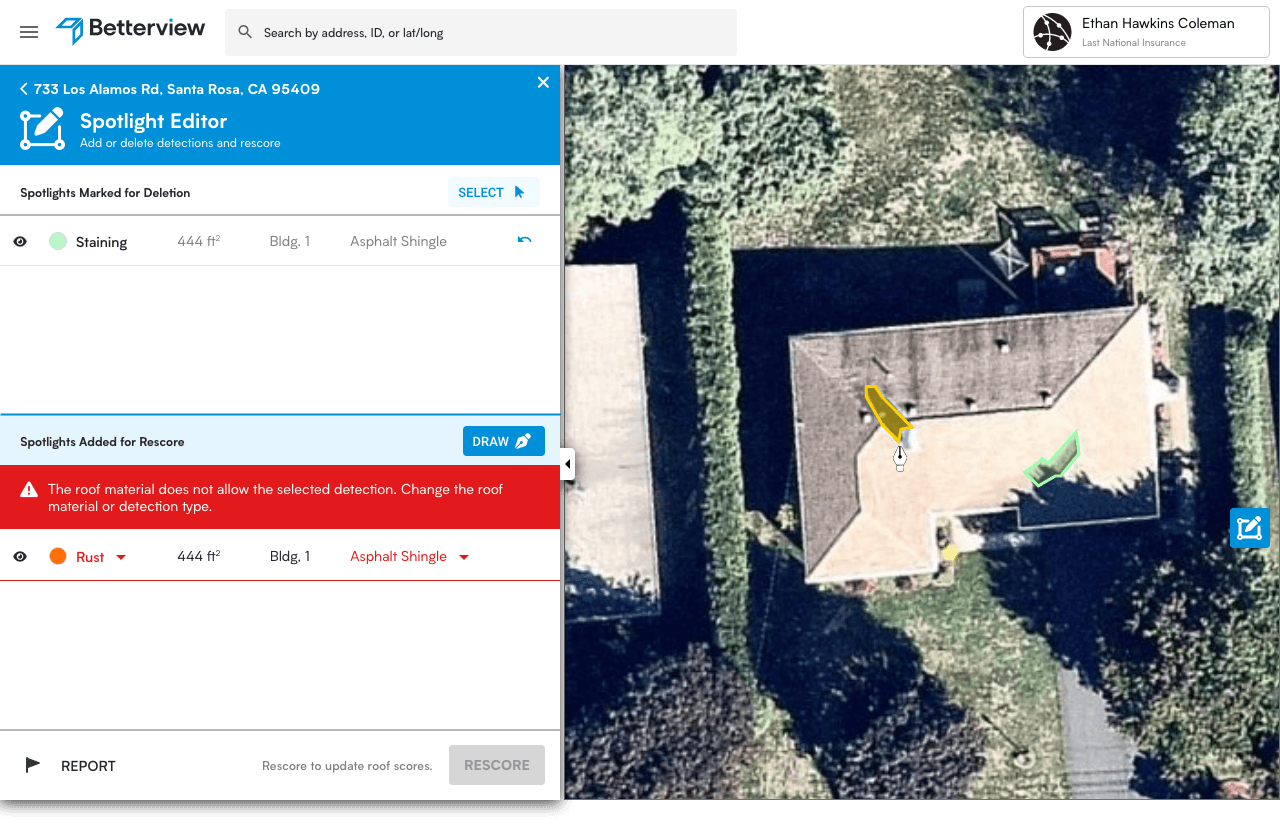
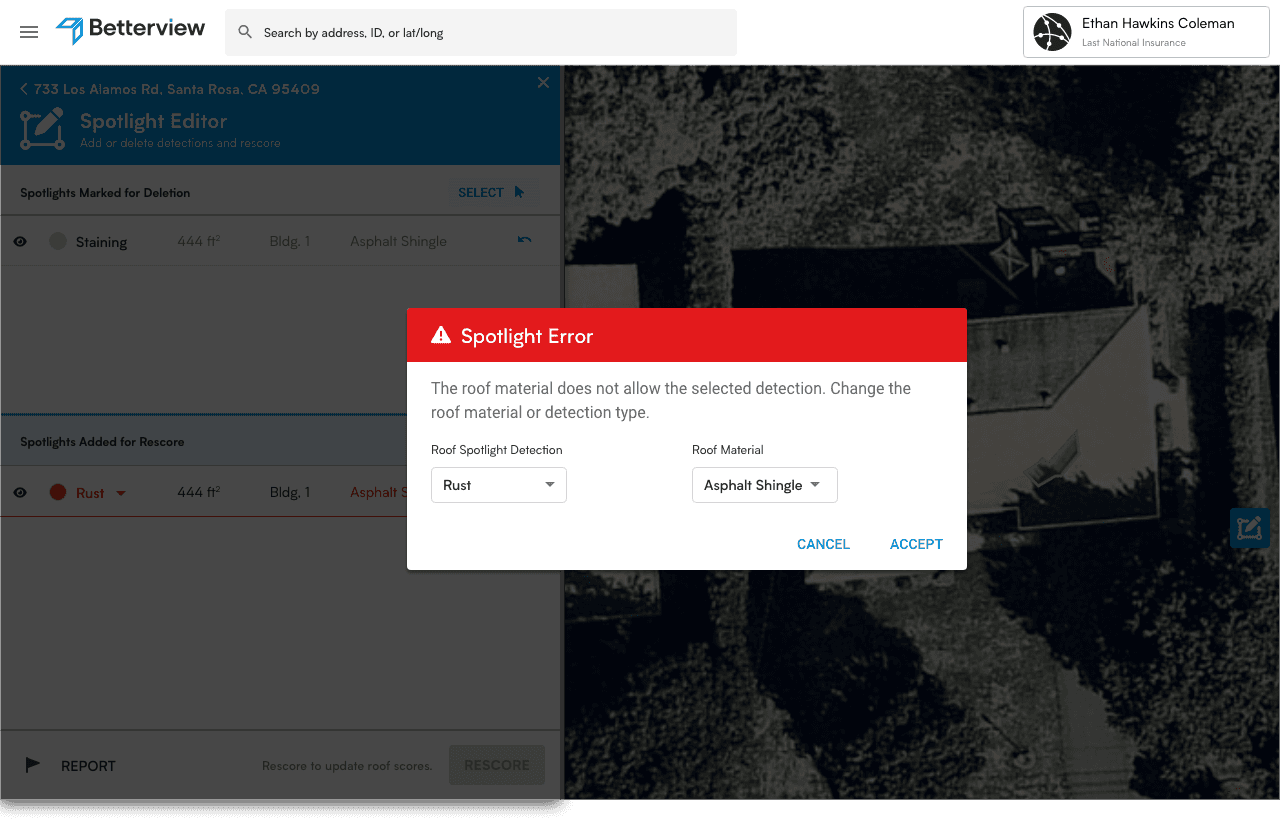
The old editor (top left) was replaced with a standard pen tool interface.
New Product · CAT Response

A new product that helps insurers triage their policyholders within a day of a hurricane or wildfire. The MVP took about a month and shipped as a new revenue stream; version 2.0 took it from single properties to whole-portfolio loss.
Feature · Defensible Space — Solo Project

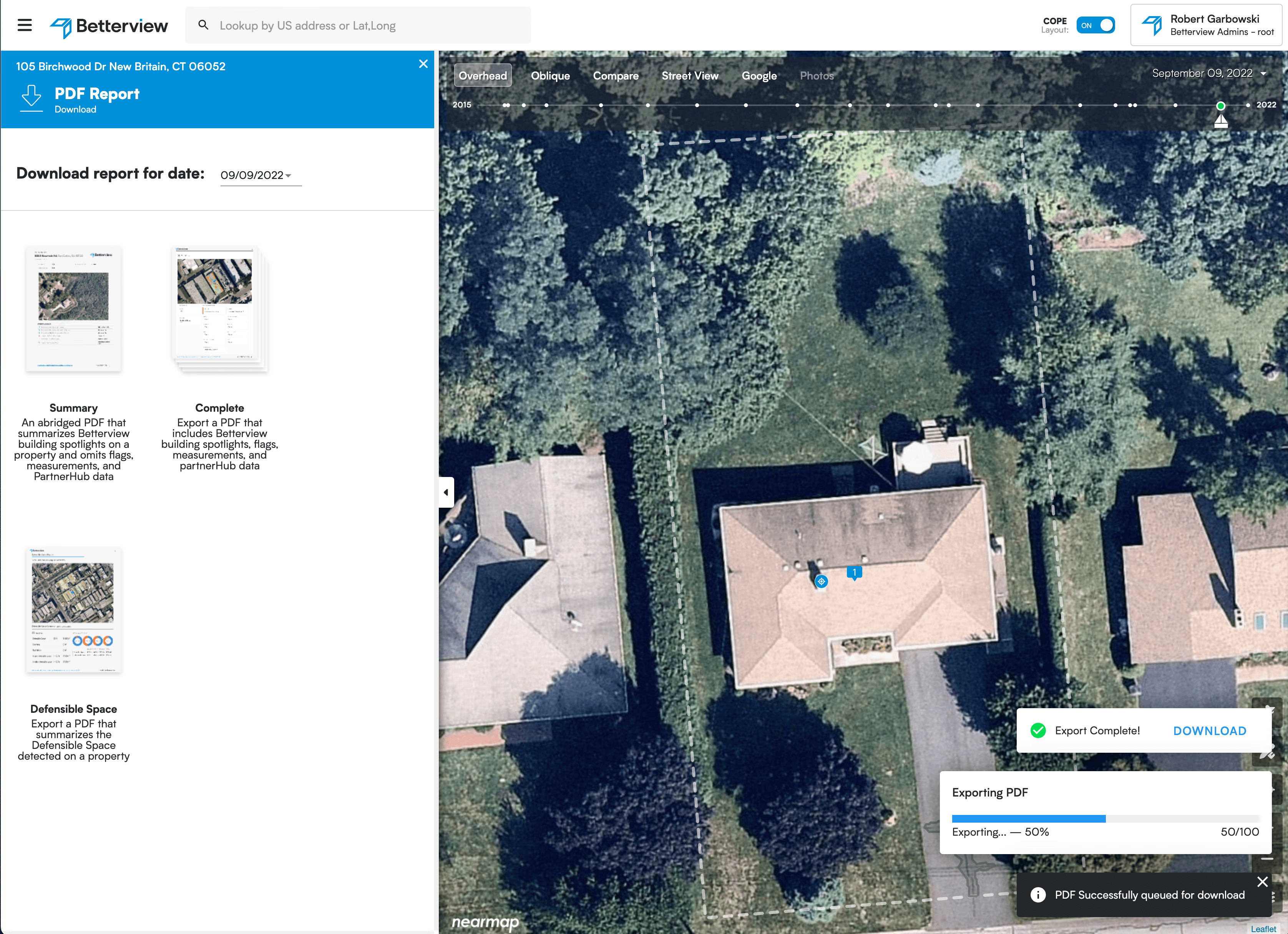
I designed the complete Defensible Space assessment system as a solo project, building the visual and data architecture from California's regulatory guidelines for wildfire defensible space. The system uses color-coded aerial overlays to show vegetation zones, other structures, and yard debris within Zone 0, Zone 1, and Zone 2 buffers around each building. The right panel surfaces sq footage and percentage coverage per zone per building — giving underwriters the quantitative data to assess wildfire survivability without leaving the product. The feature became substantial enough to warrant its own dedicated PDF export format alongside the Summary and Complete report types.

Process · How These Got Built: Narrated Prototype Handoffs
Written specs have limits — nuances get skipped, language barriers obscure intent on multinational teams, and distributed time zones make live walkthroughs impractical. My handoff process used the OS's native screen recorder to narrate over Figma prototypes wired with only the essential interactions. The narration explained not just what the UI does, but why — the intent behind each decision, pitfalls to avoid, edge cases to handle.
Engineers watched at their own convenience and referenced recordings throughout development. Product managers used them to gather stakeholder feedback without scheduling a session. Because recordings were produced early — before designs were fully resolved — viewers felt invited into the process rather than presented with finished decisions. Teams that had watched the walkthrough built with more confidence and asked fewer clarifying questions. The design didn't just get handed off. It got understood.
10+
Features designed across the AI property intelligence suite
7
Hazard types in the Exposure panel
3
Report exports, including Defensible Space
Next case study